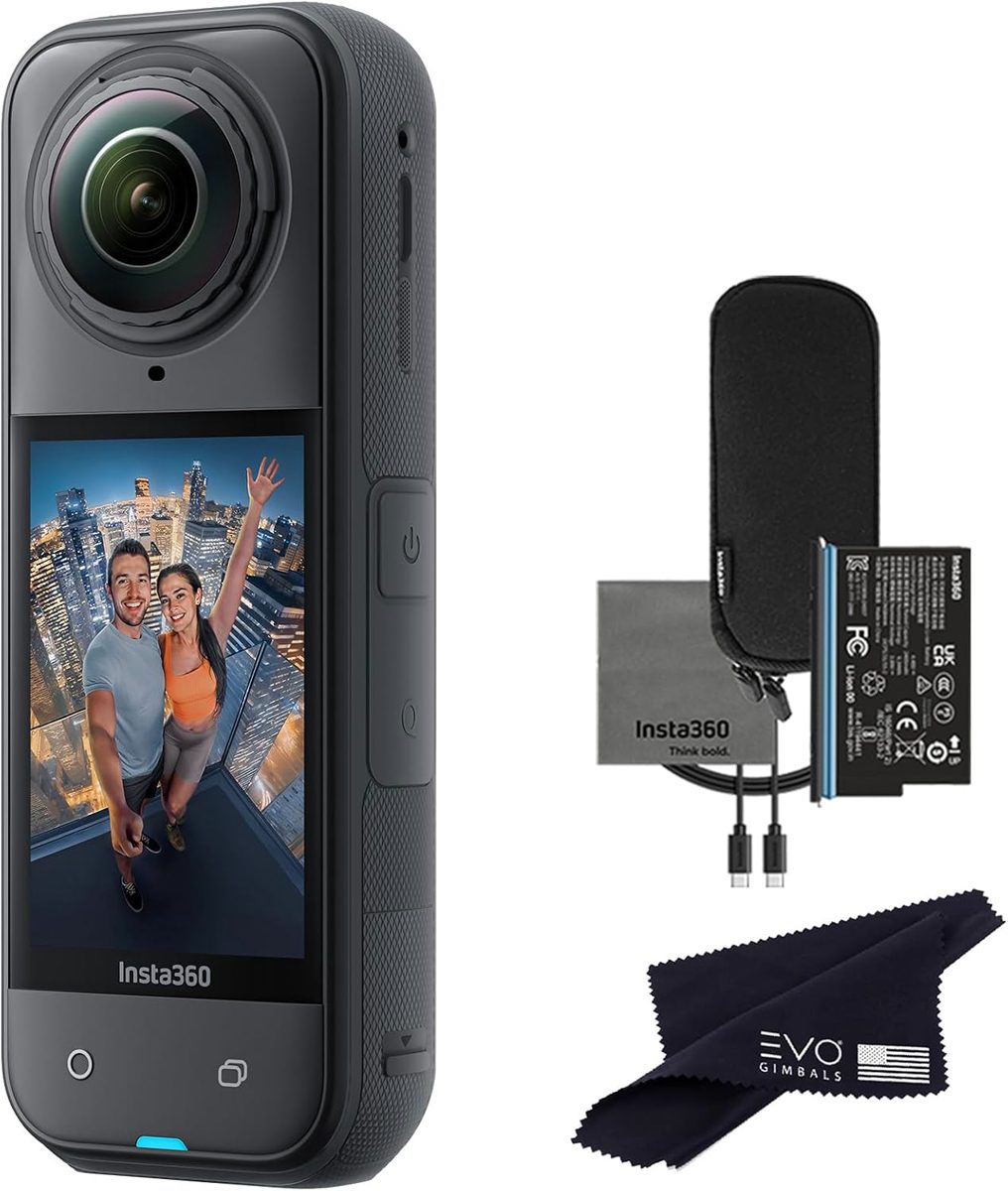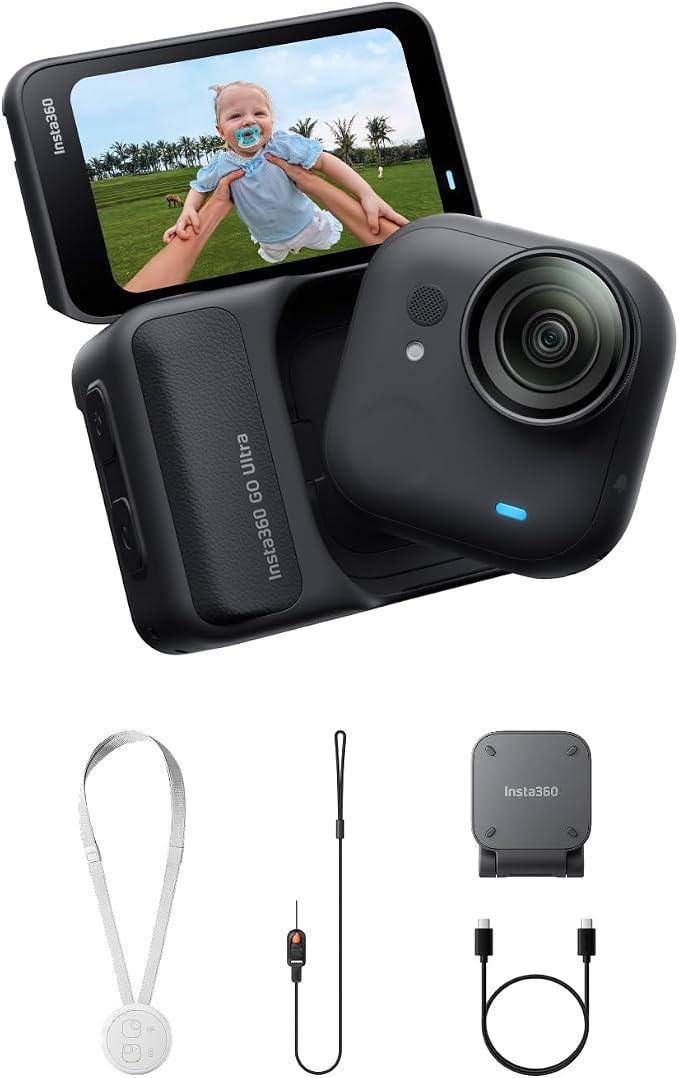
The photo and the Check Price on Amazon button use one listing: Insta360 GO Ultra Black – 4K Hands-Free Vlogging Camera. Other configurations discussed below are context, not substitutes for this link.
The Insta360 GO Ultra is a tiny action camera and a separate Action Pod. Insta360’s spec page lists the camera alone at about 52.9 grams and 46 by 45.7 by 18.3 mm, and about 22.4 mm deep with the lens guard on. The Action Pod is about 108.5 grams, with a flip touchscreen. The lens is f/2.85, with a 14.27 mm equivalent focal length. Stills go up to 50 megapixels, 8192 by 6144 in 4:3. Video tops out at 4K60, and the high-frame-rate mode is 1080p at 240 fps. Active HDR can be turned on or off up to 4K30. You clip the small camera to a hat, a collar, or a magnetic mount and you use the pod when you want a screen, playback, and a larger battery in the hand. Black Friday listings that show only the little cube and call it the whole kit are the ones to read twice.
What the two pieces are for
The camera is the part that goes where a normal action camera is too heavy. A hat brim, a backpack strap, a bike, a child’s chest harness if you are filming a toddler from their height: that is the point of a 53-gram body. The image is wide. The 14.27 mm equivalent is an action-camera field of view, not a portrait lens. Faces close to the lens look like action-camera faces. You will crop, or you will use Insta360’s reframing tools, including FreeFrame modes that keep extra frame so you can punch in later. That workflow is the product as much as the sensor. If you want a finished frame at the moment you press record and you do not want to open an app, a conventional action camera with a flip screen is a calmer choice.
The Action Pod is the screen and the remote. Insta360 lists it closed at about 70.4 by 48.8 by 33.3 mm and taller when the screen is open. You do not have to carry it while the little camera is clipped on. You do want it in the bag for playback, for settings, and for the battery story of a longer day. The camera’s own battery is small because the camera is small. Plan to swap back to the pod or a charge between heavy clips. A Black Friday “extra battery” bundle is useful only if the batteries are for this model.
Modes on the spec page include ordinary video, PureVideo, FreeFrame, a toddler mode, TimeShift, timelapse, loop recording, and slow motion. Photo modes include HDR, interval, starlapse, and burst. You will not use all of them. FreeFrame and a plain 4K clip cover most days. Slow motion at 1080p240 is for a specific trick, not for a wedding ceremony. PureVideo is the low-light path. It does not turn a tiny sensor into a full-frame camera. Night footage will look like a small action camera at night.
The lens guard changes the depth of the camera and exists because the lens sticks out. Use it when the camera is on a strap that can bang a door. Remove it only when you are sure of the shot and you want the listed body depth. A scratched guard is cheaper than a scratched lens. Confirm the guard is in the box.
Mounts, the app, and the memory card
Insta360’s ecosystem is magnetic mounts and a phone app. The spec page lists compatibility with recent iPhones and a range of Android phones, and it notes Find My support for locating the camera, which wants a current Apple software version. Check that list against your phone before you depend on a feature. A phone that “can install the app” and a phone that can reframe 4K smoothly are not always the same phone. Export can also happen on a computer in Insta360 Studio. Budget that time. The clip is not finished when you hit stop if you still need to reframe.
The memory card is not romantic and it is not optional for a full day. Use a card Insta360 rates for this camera, with the speed the manual asks for. A bargain card is how 4K60 fails in the middle of a ride. Capacity is your choice. The camera supports large cards. You do not need the largest card on the first day. You need a card that is actually in the camera when you leave.
GO 3 and GO 3S are earlier cameras. They are smaller stories with lower video ceilings. A listing that says “GO” and a low price may be a 3S. The Ultra’s identifiers are the 50-megapixel stills, 4K60, and the Action Pod dimensions above. Match those, not the rounded shape in the thumbnail.
Insta360 GO Ultra Black Friday Buying Advice: Black Friday Deals 2026
Buy the kit that includes the camera and the Action Pod unless you already own the pod from this generation and you know it pairs. Count the magnetic mounts. A hat clip and a pendant or magnet mount are the ones people actually wear. A suction cup is for a car or a board and is useless on fabric. A bundle of six mounts is only a deal if two of them are ones you will clip this month.
Confirm the region plug on the charger and whether a cable is included. Confirm the lens guard. On arrival, charge both pieces, update the firmware in the app before a trip, and record a 4K clip indoors and a 1080p240 clip if you care about slow motion. Play both back on the pod and in the app. You are checking the microphone, the lens for a dust speck behind the guard, the magnet mount’s hold on a shirt, and the card. A mount that slides off a T-shirt in the living room will slide off on a hike. That test takes five minutes and saves the holiday return.
Ignore “cinematic camera” copy. This is a wearable action camera with a strong reframing app and a very small body. Black Friday is a good week to buy that body if the kit is complete. It is a bad week to buy a GO 3S in an Ultra thumbnail. Read the still-resolution line, count the pod, and check the live price.